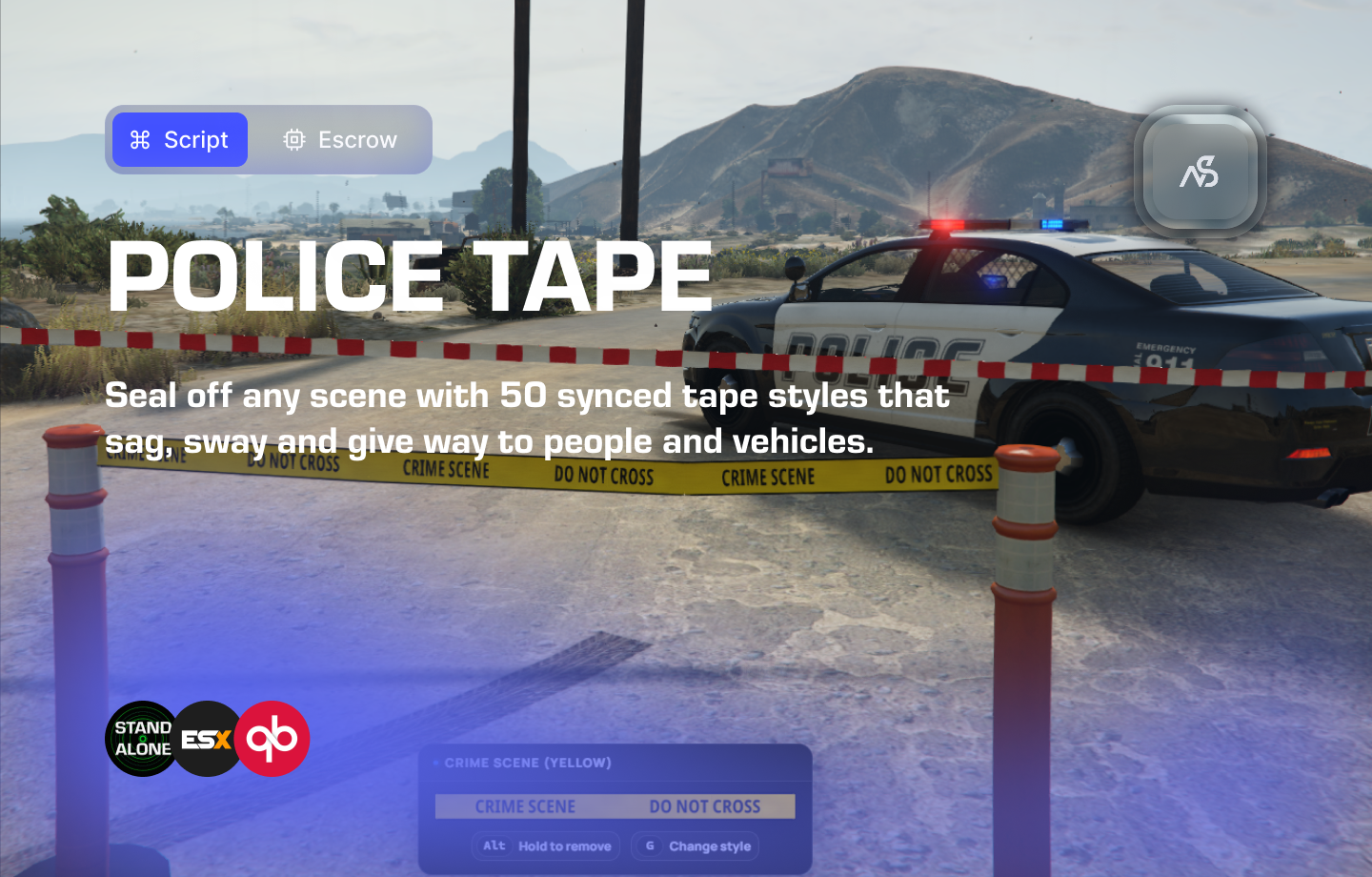
Night Police Tape for FiveM
Seal off any scene with 50 synced tape styles that sag, sway and give way to people and vehicles.
📋 Table of Contents
- 🎯 Overview
- 🛒 Purchase Information
- 📺 Video Showcase
- ⚠️ Important Pre-Installation Notes
- 🔧 System Requirements & Compatibility
- 📦 Installation Process
- ⚙️ Configuration Setup
- The rate limits stop a modified client from flooding the server with tapes, saves and updates. Normal play stays far below them. Set
Countto0to turn a limit off. - 📊 Commands & Keybindings
- 🔌 Exports
- 🛠️ Troubleshooting
- 🆘 Support
🎯 Overview
Night Police Tape lets emergency services close off a scene the way they would in real life. Aim at the first point, confirm, aim at the second, confirm, and the tape is hung for everybody on the server. It ties straight onto walls, fences, poles and trees, and stands a post wherever you aim at open ground. Hung tape sags with its length, bows and ripples in the wind, and wraps around the people and vehicles that push into it before springing back.
Key Features
- ✅ Two-click placing - Aim at the first point, confirm, aim at the second, confirm
- ✅ Live preview - See the tape, its sag and the chosen style before it is hung
- ✅ Posts on open ground - Aim at the ground and a post goes there, with the tape tied near its top
- ✅ Green and red markers - See at a glance whether a spot will work
- ✅ 50 styles - Police, fire, crime scene, caution and plain tapes, with wording for many countries
- ✅ Sag and wind - Tape droops with its length, bows downwind and ripples, following the game’s weather
- ✅ Stretch - Tape wraps the real shape of whatever pushes it: a truck’s bumper, a car’s windscreen, a person’s legs or hips, from both sides at once
- ✅ Tearing (optional) - Drive into tape fast enough and it tears down for everybody
- ✅ Permissions - Discord roles, ACE, ESX jobs or QBCore jobs and groups
- ✅ Required item (optional) - ESX, ox_inventory, QBCore and Qbox, with an optional refund when the tape comes down
- ✅ Saved across restarts - Tapes are stored in
data/tapes.json - ✅ Server-checked - Distances, lengths and permissions are checked on the server, and every player’s requests are rate limited
- ✅ Lifetime (optional) - Tapes come down by themselves after a set time
- ✅ Admin clear command - Clear an area or the whole server
- ✅ Locales - English, Dutch, German, French and Spanish included
- ✅ Exports for other scripts - Place, remove and clear tape from your own resources
🛒 Purchase Information
Get Night Police Tape:
📺 Video Showcase
Watch the video showcase:
⚠️ Important Pre-Installation Notes
Critical Installation Order: Always follow this exact sequence to avoid parsing errors in the F8 console:
- Download ZIP Package from CFX Portal
- Unpack in a folder on your local machine
- Set your File Transfer Protocol (FTP) type to binary
- Drag files from local machine to server resources folder
- Add to server.cfg (ensure script)
- Boot up the server
Support Policy: Follow this guide step by step. If you’re stuck, ask for support in our Discord and provide the specific step name. Do not skip steps.
No Database Required: Night Police Tape saves tapes to a file inside the resource and works without any database.
🔧 System Requirements & Compatibility
Framework Compatibility
- ✅ Standalone: Works independently without any framework
- ✅ ESX: Optional job permissions and required item
- ✅ QBCore: Optional job or group permissions and required item
- ✅ Qbox: Optional required item
OneSync Compatibility
- ✅ OneSync: Required. It is on by default on current servers
Dependencies
- ✅ No Required Dependencies - Works out of the box
- Optional: Night Discord API for Discord role permissions
- Optional: ox_inventory for the required item
📦 Installation Process
Step 1: Download Night Police Tape
- Download from CFX Portal Assets after purchasing
- Extract the package to your local machine
- Verify files - Ensure all folders (client, config, data, html, locales, server, shared, stream) are present
Step 2: Transfer to Server
- Set FTP to binary mode
- Upload ‘night_police_tape’ folder to your server’s resources directory
- Check the data folder -
night_police_tape/datamust exist, and the server must be able to write to it. Tapes are saved todata/tapes.json
Step 3: Configure Server
- Add to server.cfg:
ensure night_police_tape
- Set up permissions in
config/config.lua. Everyone may use tape by default - Set your admin roles for
/cleartapesinConfig.Clear.AdminRoles(see Admin Clear) - Start your server and verify the resource loads without errors
⚙️ Configuration Setup
Configuration Files
| File | Purpose |
|---|---|
night_police_tape/config/config.lua | All settings, each one explained in the file |
night_police_tape/locales/*.lua | Every line players read, per language |
night_police_tape/client/c_functions.lua | Open hooks: client permission checks and notifications |
night_police_tape/server/s_functions.lua | Open hooks: server permission checks and inventory |
Language
Config.Locale = 'en' -- 'en', 'nl', 'de', 'fr' or 'es'
To add a language, copy locales/en.lua, rename it, translate it and set Config.Locale to its name. Lines you leave out stay English.
Permissions
Config.EveryoneHasPermission = true

Config.Enable_Night_DiscordApi_Permissions = false
Config.Enable_Ace_Permissions = false
Config.Enable_ESX_Permissions = false
Config.Enable_QBCore_Permissions = {
    Check_By_Job = false,
    Check_By_Permissions = false,
}

Config.PermissionRoles = { 'police', 'ambulance', 'fire', 'Administrator' }
Set EveryoneHasPermission to false and turn on whichever systems you use. A player needs one of Config.PermissionRoles in any of them. Only players with permission see the remove and restyle hints when looking at a tape.
Required Item
Config.Item = {
    Enabled = false,
    System = 'auto',          -- 'auto', 'esx', 'ox', 'qb' or 'qbox'
    Name = 'police_tape',
    RemoveOnPlace = false,    -- take one item per tape
    ReturnOnRemove = false,   -- give it back when that player takes the tape down
}
auto uses whichever inventory is running: ox_inventory, then Qbox, then QBCore, then ESX. Add the item to your inventory yourself; the config shows the line to add for each one.
Styles
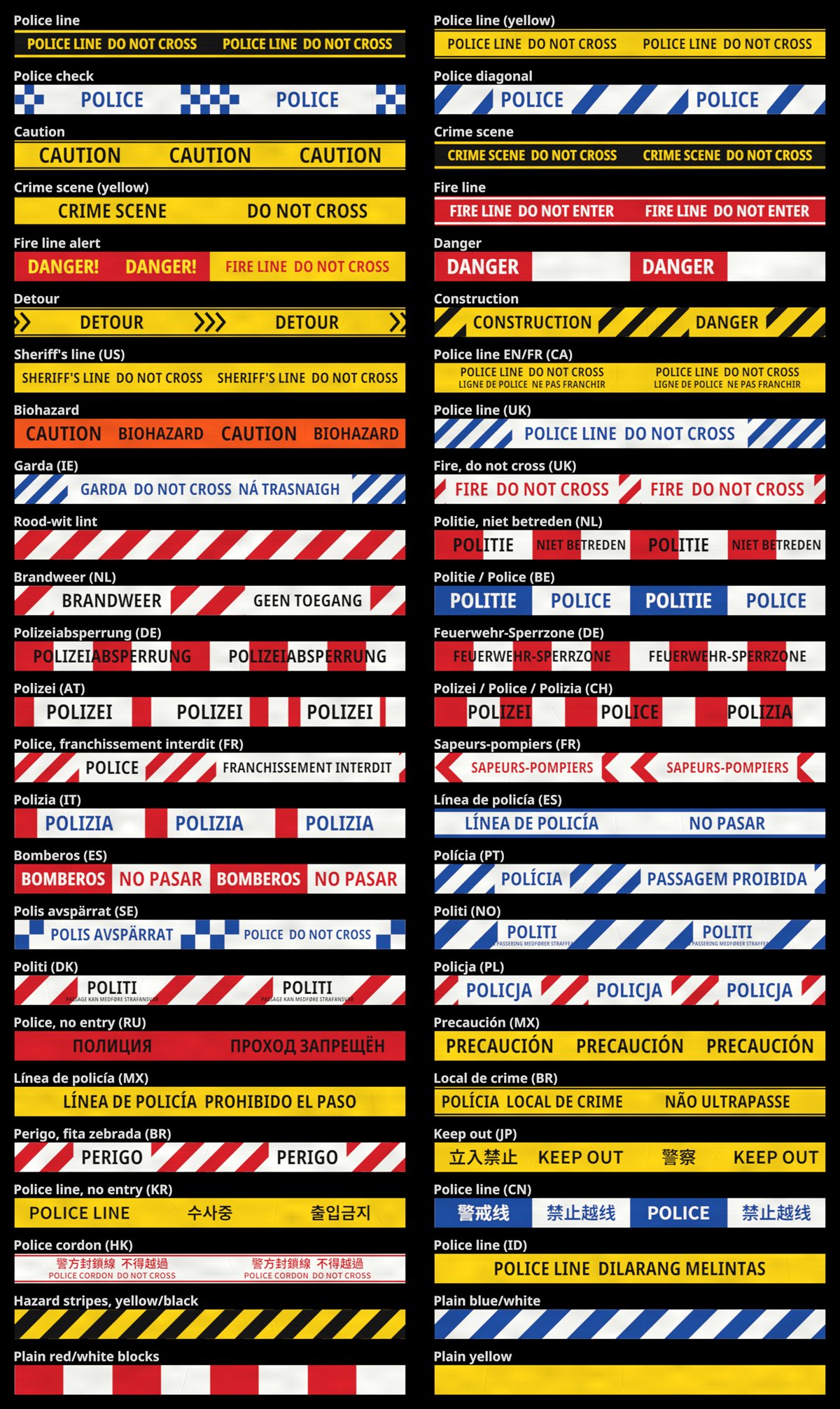
Each style in Config.Textures can be switched off with enabled = false. Hidden styles cannot be placed or picked when restyling, and saved tapes in a hidden style switch to the first enabled one.
Posts
Config.AnchorProp = 'prop_roadpole_01a'   -- '' turns posts off
Config.AnchorPlaceOnGround = true         -- tilt the post to match sloped ground
Any prop can be the post. The tape is tied near its top, measured from the model itself. Restyling a tape keeps its posts where they are.
Sag and Wind
Config.Sag = {
    droopAtReference = 0.12,   -- metres of droop at the middle of a reference span
    referenceSpan = 8.0,       -- metres. Droop scales with the span
}

Config.Wind = {
    Enabled = true,
    Strength = 1.0,     -- 0.5 calmer, 2.0 wilder
    IdleSpeed = 1.5,    -- m/s of breeze when the weather is calm
    Distance = 25.0,    -- only tapes this close to the player move
}
Stretch and Tearing
Config.Stretch = {
    Enabled = true,
    Distance = 30.0,     -- only tapes this close to the player react
    MaxStretch = 1.15,   -- tape can get 15% longer, then whoever pushes slips through
    NPCs = true,
    Vehicles = true,
    Tear = {
        Enabled = false,
        Speed = 50.0,    -- km/h
    },
}
Wind and stretch are visual and worked out on each player’s own game, so they cost the server nothing. Tearing is the exception: the driver’s game reports the hit, and the server checks the vehicle’s speed and position before it takes the tape down for everybody.
Admin Clear
Config.Clear = {
    DefaultRadius = 25.0,   -- metres, when no radius is given
    MaxRadius = 200.0,
    AdminRoles = {
        'Administrator',    -- Discord role
        'admin',            -- ESX group, QBCore permission
        'superadmin',       -- ESX group
        'god',              -- QBCore permission
    },
}
/cleartapes uses the same permission systems as placing tape, with its own roles. A player is an admin if they hold one of AdminRoles as a Discord role, an ACE permission, an ESX job or group, or a QBCore job or permission, in whichever systems you turned on under Permissions.
Config.EveryoneHasPermissiondoes not make everyone an admin. Without any permission system turned on, give admins the command by ACE instead:add_ace group.admin command.cleartapes allow
Lifetime
Config.Lifetime = {
    Minutes = 0,         -- 0 keeps tapes until someone removes them
    Scripted = false,    -- whether tapes from the PlaceTape export expire too
}
The lifetime counts across restarts.
Limits and Server Protection
Config.MinLength = 0.75
Config.MaxLength = 40.0
Config.MaxObjectsPerArea = 100   -- each metre of tape is one object
Config.AreaSquareMeters = 100.0

Config.RateLimit = {
    Place = { Count = 4, Seconds = 10 },
    Remove = { Count = 8, Seconds = 10 },
    Restyle = { Count = 10, Seconds = 10 },
    Tear = { Count = 6, Seconds = 10 },
    Other = { Count = 10, Seconds = 10 },
}
The rate limits stop a modified client from flooding the server with tapes, saves and updates. Normal play stays far below them. Set Count to 0 to turn a limit off.
📊 Commands & Keybindings
Placing Tape
| Action | Keyboard and Mouse | Controller |
|---|---|---|
| Start placing | /policetape (bind a key in Settings) | - |
| Confirm a point | E or left click | A |
| Change style | ← → or the mouse wheel | D-pad left and right |
| Back / cancel | Backspace | B |
Placing only works on foot. Weapons are put away while placing.
Looking at a Tape
| Command | Default Key | Description |
|---|---|---|
/removetape | Hold Left Alt | Take the tape down |
/restyletape | G | Change the tape’s style |
Players can rebind every key in Settings → Key Bindings → FiveM, and the on-screen hints follow their bindings. Config.RemoveHoldTime sets how long the remove key is held (1.2 seconds by default).
For Admins
| Command | Description |
|---|---|
/cleartapes | Remove every tape within 25 m of you |
/cleartapes 60 | Remove every tape within 60 m |
/cleartapes all | Remove every tape on the server. From the server console, use cleartapes all |
/cleartapesis for players with one ofConfig.Clear.AdminRoles, see Admin Clear. SetConfig.Commands.Clearto''to turn the command off.
🔌 Exports
Server-side
Server exports have no permission or distance checks. Access control is up to your resource.
PlaceTape hangs a tape. It returns the tape’s id, or nil if the tape was too short, too long or the area is full.
local id = exports['night_police_tape']:PlaceTape(ax, ay, az, bx, by, bz, textureId, postA, postB)
| Parameter | Type | Description |
|---|---|---|
ax, ay, az | number | First end, where the tape is tied |
bx, by, bz | number | Second end |
textureId | string \| nil | A style id from Config.Textures, e.g. 'police'. nil uses the first enabled style |
postA, postB | boolean \| number \| nil | Stand a post under that end. true uses the post’s own height; a number from 0.1 to 5 is the height above the ground the tape is tied at, in metres |
RemoveTape takes a tape down. It returns true if the tape existed.
exports['night_police_tape']:RemoveTape(id)
ClearTapes takes down every tape within a radius, or all of them. It returns how many came down.
local count = exports['night_police_tape']:ClearTapes(vector3(x, y, z), 30.0)
local everything = exports['night_police_tape']:ClearTapes()
Client-side
Client exports go through the same checks as players do: permission, item and distance.
exports['night_police_tape']:StartPlacement()   -- start placing for this player
exports['night_police_tape']:PlaceTape(ax, ay, az, bx, by, bz, textureId, postA, postB)
exports['night_police_tape']:RemoveTape(id)
🛠️ Troubleshooting
Tapes are gone after a restart
- Check that
data/exists inside the resource and that the server can write to it.
“You do not have permission to use police tape.”
- Check that the permission system you use is turned on, and that the player has one of
Config.PermissionRoles.- With
Config.Item.Enabled, the player must also carry the item.
Tape does not react when people or vehicles walk into it
- Check
Config.Stretch.Enabled, andNPCsorVehicles.- Tapes only react within
Config.Stretch.Distanceof the player.
Tearing does nothing
Config.Stretch.Tear.Enabled,Config.Stretch.EnabledandConfig.Stretch.Vehiclesmust all be on.- Only the driver of the vehicle can tear tape, and only above
Config.Stretch.Tear.Speed.
“Only admins can clear police tape.”
- Check that the player holds one of
Config.Clear.AdminRolesin a permission system you turned on.- Or give the command by ACE:
add_ace group.admin command.cleartapes allow.
Anything else
- Set
Config.Debug = trueand check the server console and F8.
🆘 Support
Read through the instructions again if you have not managed to install the resource. Can’t get it to work still? Create a ticket through our dedicated support system in Discord: