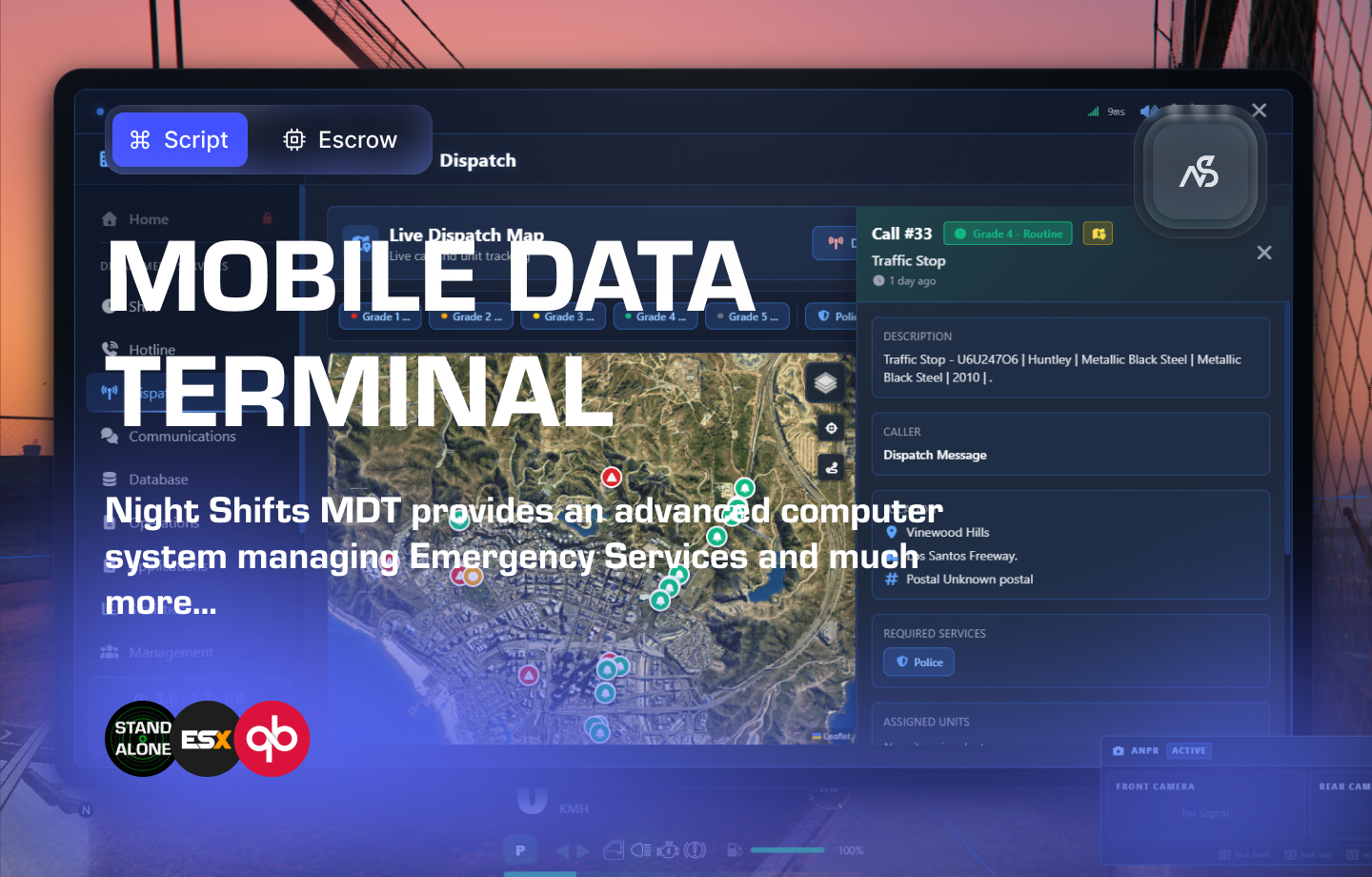
Night Shifts - Mobile Data Terminal for FiveM
Welcome to Night Shifts MDT (v1) — a customizable Mobile Data Terminal for your FiveM community. Whether you run police, fire, EMS, tow, or other emergency services, Night Shifts helps you run operations from one place: dispatch (calls, map, units), shift and status, and PNC-style records (people, vehicles, warrants, cases, ANPR), alongside civilian council tools for identity, documents, and vehicles. The MDT is meant to fit your server — departments, ranks, permissions, forms, and reference data are managed in the tablet, with languages and settings so you can align emergency-services roleplay with any country or region.
v1 provides in-game tablet with modern looks and has a responsive feel with endless features.
📋 Table of Contents
- 🎯 Overview
- 🛒 Purchase Information
- ⚠️ Important Pre-Installation Notes
- 🔧 System Requirements & Compatibility
- 📦 Installation Process
- ⚙️ Configuration Setup
- 🎮 How It Works
- 🔗 Integration & Compatibility
- 📊 Exports
GetUserShiftData(targetServerId)GetPostalForPlayer(source)GetDepartments()GetRanksByDepartmentId(departmentId)GetSubDepartmentsByDepartmentId(departmentId)GetSetting(key)GetAllSettings()GetCurrencySymbol()GetCurrentLanguage()GetAvailableLanguages()GetActiveShiftByServerId(serverId)GetCurrentShiftDurationByServerId(serverId)StartShiftByServerId(serverId, departmentId, subDepartmentId, rankId, callsign)EndShiftByServerId(serverId [, callback])UpdateShiftStatusByServerId(serverId, statusCode [, callback])UpdateCallsignByServerId(serverId, newCallsign)ForwardCallToMDT(callData [, callback])IsMenuOpen()IsOnPoliceShift()·IsOnAmbulanceShift()·IsOnFireShift()·IsOnTowShift()·IsOnCouncilShift()OpenMenu()·CloseMenu()·ToggleMenu()ForwardCallToMDT(callData)
- 🛠️ Troubleshooting
- 💡 Best Practices
- 🆘 Support
🎯 Overview
Documentation in progress — This v1 page is being expanded as features and setup flows are finalized. Report inconsistencies or gaps via Discord support.
Night Shifts MDT is a standalone emergency-services and civilian registry stack for FiveM: police / fire / EMS / council-style workflows, rank-based permissions managed in the tablet (database-backed, with super-admin bootstrap in config), and heavy in-tablet configuration so server owners can shape departments, forms, penal codes, and lookups without touching the NUI code.
Tablet & UX (v1)
- Full tablet NUI — Large-format interface (modern layout, sounds, toasts, modals, draggable notes taskbar where enabled)
- Physical tablet prop & animations — Optional handheld tablet model and show/hide animations (configurable)
- In-tablet admin & setup — User management, departments/ranks, permissions editor, MDT settings, form builder, penal code and reference data managers, system logs, emergency actions, bug-report inbox, and more
- Deep linking — Navigate from dispatch map / alerts into PNC lookups, case files, ANPR, etc. where permissions allow
Dispatch & operations
- Dispatch board — Live incident workflow: calls, unit status, dispatch notes, and integrated map (Leaflet) for spatial awareness
- Communications — In-MDT comms channel for coordinated response
- Hotline & civilian emergency flow — Emergency hotline integration; F3 (or configured key) civilian 911-style calls that create real dispatch traffic (with cooldowns / shift rules as configured)
- Operations & applications — Configurable forms for operations and job applications; staff review pipelines (linked to admin form builder and submissions review)
- Statistics — Department metrics with Chart.js dashboards
Police National Computer (PNC) & records
- Unified lookups — Civilian profiles with tabbed detail: personal info, documents, licenses, vehicles, properties, businesses, charges/fines, criminal history, warrants
- Vehicle & registration tools — Plate search, registration flows, flags, case files, warrant management
- ANPR — In-MDT ANPR workspace plus optional ANPR HUD and camera lock hotkeys for patrol vehicles
- Penal code browser — In-tablet reference for charges and sentencing context
Council / civilian registry
- Self-service civilian portal — Profile, documents, licenses, vehicles, properties, businesses (as permitted)
- Council administration — Review queues and staff-side management for pending civilian-side changes (where configured)
Department management (in-tablet)
- Roster & fleet — View and manage unit roster and department vehicles from the MDT
- Bulletins — Internal announcements for your department
- Certifications — Track certification types and member compliance where enabled
- Submissions review — Review form submissions tied to your operations/application workflows
World & identity
- Show ID — Offer your registered ID to the nearest player (range-limited), with accept/decline flow for the viewer
- Emergency Response Simulator — Optional integration: search ERS NPCs and linked vehicles in the MDT when
night_ersis configured accordingly - Framework-linked civilians (optional) — With ESX, QBox (
qbx_core), or QBCore (qb-core) running, the MDT can create or update a council civilian record from the player’s framework character on load (name, DOB, sex, phone, job, etc.) and optionally stamp identity documents when your admin rules allow—see Framework compatibility below - Framework fines (optional) — Council-side fine payment can deduct from bank or cash on ESX / QBCore / QBox when configured
Platform & localization
- Multi-language — Translation-driven UI (per-locale files)
- MySQL + oxmysql — Server-side persistence and migrations
- Escrow protection — Product delivery model as published on the store
🛒 Purchase Information
Get Night Shifts MDT:
Purchase on Nights Software Store
⚠️ Important Pre-Installation Notes
Critical Installation Order: Always follow this exact sequence to avoid parsing errors in the F8 console:
- Download ZIP Package from CFX Portal
- Unpack in a folder on your local machine
- Set File Transfer Protocol (FTP) type to binary
- Drag files from local machine to server resources folder
- Add to server.cfg (ensure script)
- Boot up the server
Support Policy: Follow this guide step by step. If you’re stuck, ask for support in our Discord and provide the specific step name. Do not skip steps.
Database Requirement: Night Shifts MDT requires a MySQL database and oxmysql resource to function properly.
Emergency Response Simulator Compatible: It is possible to search NPCs and their vehicles in the MDT when they have been interacted with via the Emergency Response Simulator.
🔧 System Requirements & Compatibility
OneSync Compatibility
- ✅ OneSync Legacy: Fully tested and compatible
- ✅ OneSync Infinity: Fully tested and compatible
Framework Compatibility
-
✅ Standalone: If no supported framework resource is running, the MDT runs in standalone mode: no automatic civilian generation from characters (players use council registration / staff workflows as you configure).
-
✅ Auto civilian generation (framework bridge): When a supported framework is detected and started before or with the MDT, the resource syncs each loaded character into
nsmdt_civilians(create or update by framework id). Supported stacks (detection order on the server):Framework Resource / API Character id used for sync ESX es_extendedidentifierQBox qbx_core(GetPlayer)citizenidQBCore qb-corecitizenidOn first sync, a council-style personal id (e.g.
CIV-…) can be issued; identity documents may be auto-generated when your document types and council rules allow (see server logs for[MDT Framework]). Existing civilians are updated on subsequent loads (name, job, phone, etc., per bridge data). -
✅ Framework fines: Optional bank/cash deduction for council fines when a framework player pays—configure
Config.FrameworkFineAccountinconfig.lua(ESX/QBCore/QBox).
Run
es_extended,qbx_core, orqb-coreon the same server as Night Shifts MDT if you want automatic civilian sync. Only one framework path is selected (ESX → QBox → QBCore in that order if multiple were present).
Dependencies
- ✅ MySQL Database - Required for data storage
- ✅ oxmysql - Required database API
Note: Database setup (MySQL + oxmysql) is required regardless of framework. Permissions and departments are configured inside the MDT (and initial super-admins in
config.lua); Night Discord API is not part of the v1 install path. Framework features are optional: standalone operation, auto civilian sync on supported frameworks, and fine payments through the framework account when enabled.
📦 Installation Process
Step 1: Database Setup (Required)
We assume you have a database for your FiveM server. If you do not have one, contact your hosting providers’ documentation on how to get and build one. This is a dependency for Night Shifts MDT to work.
- Set up your database via your hosting provider
- Connect to your database using credentials in an SQL connection string
- Add to server.cfg above the ensure/start of resources:
set mysql_connection_string "user=Your_Database_Username;password=Your_Database_Password;host=Your_Database_Host;port=3306;database=Your_Database_Name;charset=utf8mb4_general_ci"
Localhost Example:
set mysql_connection_string "user=root;password=;host=localhost;port=3306;database=Your_Database_Name;charset=utf8mb4_general_ci"
- Automatic Table Installation - When you boot up the server, the code will run queries to install required tables
Manual Installation: The files include a
datatables.sqlfile if you prefer to manually install the tables.
Step 2: Install oxmysql (Required)
If you don’t have oxmysql installed, download it from: Download oxmysql
- Place oxmysql into your resources folder
- Add to server.cfg - Ensure it starts before Night Shifts MDT:
ensure oxmysql
Documentation: For oxmysql questions, visit oxmysql documentation
Step 3: Test Database Connection
Start your server and check the console for oxmysql connection messages. You should see:
[script:oxmysql] Database server connection established!
Step 4: Postal codes (optional — auto-detect)
Night Shifts MDT does not require a specific postal resource name. It auto-detects which postal / map data is available on your server and uses it for player and world lookups (dispatch, addresses, etc.).
How it works
- HUD-first (player position) — If a supported HUD exposes postal for the local player, that is preferred:
rhud(get_postal), thenSimpleHUD/ModernHUD(getPostal), in that order. - World coordinates — For map pins and coordinates, the MDT tries
rhudworld APIs first, then hinted postal resources in order:mnr_postals,nearest-postal. - Multiple formats — The same hints are probed for several backends: JSON lists referenced by the resource
postal_filemanifest metadata, MNR-style Lua data (config + data files), export-based nearest-postal (getNearestPostal,getPostalAtCoords, etc.), and similar. You can ship different postal file packs (or forks of nearest-postal / MNR) as long as the resource exposes one of these patterns; the MDT picks the first working match at runtime. - Dependencies of postal resources — Some MNR builds need
ox_librunning. Install what your chosen postal resource documents.
You typically ensure your postal / map stack before Night Shifts MDT in server.cfg, for example:
ensure ox_lib
ensure nearest-postal
# or: ensure mnr_postals
# plus any minimap / postal overlay resource you use
No extra bridge resource — Integration is built into the MDT client; you do not need a separate “MDT ↔ postal” bridge. If nothing matches, postal-dependent UI may show blanks until a compatible resource is added.
Step 5: Install Night Shifts MDT
- Download from CFX Portal Assets
- Extract and transfer using binary FTP mode
- Place the resource folder (e.g.
night_shifts_mdt) into yourresourcesdirectory—the folder name must match what youensureand must match ERS integration checks if you use ERS (night_shifts_mdtin stock v1 layouts). - Add to server.cfg:
ensure night_shifts_mdt
- Verify startup — Check console for oxmysql and
night_shifts_mdtstarting without errors
Using ERS? In
server.cfg,ensure night_ersbefore your MDT resource so shift sync and other MDT → ERS exports work. See Emergency Response Simulator Integration below for config and behaviour.
First start & database setup: When the resource starts, it runs a sequence of MySQL queries to create or update the required tables, columns, and indexes automatically. That work can take a short time (often a few seconds; longer on a slow database or a very first install). Let the server console finish this phase before deciding something failed—brief delays here are normal.
⚙️ Configuration Setup
Required Tools
Visual Studio Code: We strongly recommend downloading VS Code for editing Lua files.
Configuration Files
Paths below use night_shifts_mdt as the resource folder name—use the same name you deploy and ensure in server.cfg (some installs rename the folder; paths are always relative to that folder).
| Path | Purpose |
|---|---|
night_shifts_mdt/config/config.lua | Main config — tablet prop/animations, ERS link (Enable_ERS), framework fine account, hotkeys, civilian emergency call, Show ID, initial super-admins, and other core toggles |
night_shifts_mdt/config/config_anpr.lua | ANPR — static camera positions, scan radii, and related ANPR vehicle/hash lists |
night_shifts_mdt/config/config_npc_pool.lua | ERS NPC pool — fictive NPC identities and vehicle-record probabilities for Emergency Response Simulator / PNC integration |
night_shifts_mdt/config/translations/<locale>.lua | Languages — one file per locale (e.g. en.lua, de.lua, fr.lua, …) |
Optional files some servers customize:
| Path | Purpose |
|---|---|
night_shifts_mdt/client/c_functions.lua | Client helpers (e.g. postal auto-detect, shared utilities) |
night_shifts_mdt/server/s_functions.lua | Server helpers and shared server utilities |
Configuration Process
- Open VS Code and navigate to the config files
- Read thoroughly - each line has explanatory comments
- Configure in order - work from top to bottom
- Watch for notes - important warnings are clearly marked
- Test frequently - use F8 console and server console for error checking
Time Investment: Plan adequate time for configuration. Each variable is named descriptively to help you understand its purpose.
🎮 How It Works
Civilian-facing
- Emergency call (e.g. F3) — Quick civilian emergency call into the dispatch ecosystem (subject to cooldowns and “on shift” rules in config)
- Council self-service — Manage your civilian profile: documents, licenses, vehicles, properties, and businesses from the tablet
- Show ID — Present government ID to a nearby player for RP identity checks
Emergency services (in the tablet)
- Shift & status — Clock in/out, department selection, status codes, panic (command or MDT) as configured
- Dispatch — Call board, units, notes, and map-backed situational awareness; quick-respond and communications as set up on your server
- PNC — Full lookup stack: people, plates, warrants, case files, flags, ANPR, and penal code reference
- Operations & forms — Department-specific configurable forms and workflows; applications and internal operations tied to the same form system
- Management — Roster, fleet, bulletins, certifications, and submission review for leadership roles
Permissions
Two layers work together: who can open admin tools vs what each job role may do in the MDT while on shift.
-
Admin permissions — A global admin level (0–3: regular user, moderator, admin, super admin) decides whether someone can use the admin panel at all, and which admin areas they get (users, departments, MDT settings, penal code editor, license/document/flag types, forms, system logs, emergency-wide actions, bug reports, and the admin-permissions editor for super admins). Moderators and up can have granular actions inside those modules (for example view vs edit on penal codes, or which settings tabs they may change). Levels are assigned when a super admin edits user management; initial super-admins can be seeded in
config.luafor first-time setup. -
Rank permissions — Separate from admin level: each rank inside a department has its own permission strings (for example PNC lookups, dispatch features, council administration). Super admins or department managers assign these when configuring ranks. Permissions can inherit from other ranks in the same department via rank hierarchy, so a sergeant can automatically include patrol allowances without duplicating every flag. The MDT resolves a player’s effective permissions when they clock in to a department (and refreshes when ranks or hierarchy change).
In practice: Admin level answers “May this person run the server / MDT configuration UI?” Rank permissions answer “Once clocked in as this job role, which operational menus and actions (dispatch, PNC, ANPR, …) are allowed?” A user can be a high rank in police without any admin level, and an admin can configure the server without needing a department rank.
Server owners & admins
- First-run & roles — Initial super-admins and tiered admin levels (moderator / admin / super admin) in config; ongoing user management and permission matrices in-tablet
- Reference data — Departments, ranks, penal codes, license/document/flag/certification types, and form builder without editing NUI source
- Operations — System logs, emergency-wide actions, MDT-wide settings, and bug reports from the field
🔗 Integration & Compatibility
How Night Shifts MDT fits next to other resources. Required pieces are under System Requirements (OneSync, MySQL, oxmysql).
Frameworks (optional)
- Standalone — MDT works with no ESX / QBCore / QBox; civilians are created through council flows and staff tools unless you add a framework.
- ESX / QBox / QBCore — When
es_extended,qbx_core, orqb-coreis running, the framework bridge syncs characters intonsmdt_civiliansand the banking bridge can charge council fines to the player’s bank or cash (Config.FrameworkFineAccount). Details and detection order: Framework Compatibility (earlier on this page).
Emergency Response Simulator (night_ers)
Optional integration for servers that run Emergency Response Simulator (night_ers).
- MDT → ERS — With
Config.Enable_ERSin the MDT, clock-in/out can callnight_ersso ERS shift state stays aligned (setManageShiftsByMDTin ERS where applicable so the MDT owns shift toggles). - PNC & world — ERS-driven NPCs and vehicles can appear in lookups, ANPR, and related flows according to your
config_npc_pool.luaand ERS settings. server.cfg—ensure night_ersbeforeensure night_shifts_mdtso shift sync and other MDT ↔ ERS calls resolve. If you do not run ERS, omit it.
Postal codes & HUD (optional)
The MDT auto-detects postal data from common resources (rhud, SimpleHUD, ModernHUD, mnr_postals, nearest-postal, JSON postal_file data, etc.)—no separate MDT bridge resource. See Step 4: Postal codes. Some MNR setups need ox_lib.
Discord webhooks (optional)
This is not the old Discord API permission resource. The implementation (reading URLs and posting embeds) lives in server/s_functions.lua; you do not paste webhook URLs into that file on a normal install.
URLs are read from server convars at runtime:
nsmdt_discord_webhook_dispatch— dispatch-related notificationsnsmdt_discord_webhook_admin— admin audit–style notifications
Set them in server.cfg (or any supported way you set FiveM convars), for example:
set nsmdt_discord_webhook_dispatch "https://discord.com/api/webhooks/…"
set nsmdt_discord_webhook_admin "https://discord.com/api/webhooks/…"
If a convar is empty or missing, the MDT skips posting for that channel (same behaviour as documented in the Lua comments above those convar names).
Calling the MDT from other resources
Other scripts can use exports['night_shifts_mdt'] (name must match your resource folder). See Exports below.
📊 Exports
Developers / integrators only. This section documents Lua
exportsfor people writing other FiveM resources that talk to the MDT. Players and server owners doing a normal install and in-tablet setup do not need it—skip unless you are callingexportsfrom code.
How this section is organised
| Kind | Meaning |
|---|---|
| Getter | Read-only; returns data (or calls your callback with data). |
| Setter / mutator | Writes or updates server-side state (DB and/or cache). |
| Action | Performs a side effect (create call, relay event, open UI). Check return values and callbacks where documented. |
Server — integration exports
Getters
GetUserShiftData(targetServerId)
| Parameters | targetServerId (number) — FiveM player server id (source from events, or any valid id). |
| Returns | Single table (not an array). Empty {} if the player cannot be resolved or has no session. Keys (values may be nil when not on shift or not yet pushed): serverId, rockstarLicense, userName, nickName, adminLevel, isOnShift, departmentId, subDepartmentId, rankId, callsign, statusCode, statusLabel, statusColor, shiftDuration (seconds), totalShiftTime, shiftTimeByDepartment (table), location, speed, heading, compassDirection, postal, distanceToNearestPostal, street, zone, modeOfTransport, sirens, plate. |
| Limitations | Server-only. Location fields depend on the client having pushed location while on shift; they may be empty/nil shortly after clock-in. |
local mdt = exports['night_shifts_mdt']
local data = mdt:GetUserShiftData(source)
if data.isOnShift then
    print(data.userName, data.callsign, data.statusCode or "")
    print("Location:", data.street or "—", data.postal or "")
end
GetPostalForPlayer(source)
| Parameters | source (number) — player server id. Invalid id returns the translated unknown postal string. |
| Returns | String — postal / zone code for that player’s current ped position. |
| Limitations | Server-only. Without a supported postal backend, you only get the unknown label. |
Resolution order (same behaviour as Step 4: Postal codes):
rhud— if started,exports.rhud:get_postalat the ped’s X/Y.SimpleHUDorModernHUD— if started,getPostal(source)on that resource.- Static postal data — nearest code from
mnr_postals,nearest-postal, or JSON viapostal_filemetadata, using the ped’s coordinates.
local postal = exports['night_shifts_mdt']:GetPostalForPlayer(source)
GetDepartments()
| Parameters | None. |
| Returns | Array table of active department rows from cache (SELECT * from nsmdt_departments, filtered to isActive). Each element is a table with at least: id, departmentName, departmentShortName, departmentDescription, departmentIcon, departmentBanner, departmentLogo, departmentType, departmentColor, blipColour, blipSprite, displayOrder, isActive, createdAt, createdBy, modifiedAt, modifiedBy. |
| Limitations | Server-only. Archived departments (isActive = 0) are omitted (clock-in pickers only see active rows). |
for _, d in ipairs(exports['night_shifts_mdt']:GetDepartments()) do
    print(d.id, d.departmentName)
end
GetRanksByDepartmentId(departmentId)
| Parameters | departmentId (number). |
| Returns | Array table of rank rows for that department from cache. Each element includes: id, departmentId, departmentName (joined from departments), rankName, rankShortName, rankDescription, rankOrder, permissions (array of permission strings, e.g. PNC/dispatch flags — parsed from nsmdt_rank_permissions). |
| Limitations | Server-only. Empty {} if departmentId is invalid or there are no ranks. |
local ranks = exports['night_shifts_mdt']:GetRanksByDepartmentId(1)
GetSubDepartmentsByDepartmentId(departmentId)
| Parameters | departmentId (number). |
| Returns | Array table of sub-department rows for that department from cache. Each element includes: id, departmentId, departmentName (joined), subDepartmentName, subDepartmentShortName, subDepartmentDescription, displayOrder, createdAt. Use id as subDepartmentId when calling StartShiftByServerId. |
| Limitations | Server-only. Empty {} if the department has no sub-departments or id is invalid. |
local sub = exports['night_shifts_mdt']:GetSubDepartmentsByDepartmentId(1)
GetSetting(key)
| Parameters | key (string) — e.g. currency, currencyPosition, timeFormat, dateFormat, speedUnit, vehicleInspectionEnabled, vehicleInspectionLabel, alert duration keys. |
| Returns | Value for that setting (type depends on key). |
| Limitations | Server-only. Read-only. |
local mdt = exports['night_shifts_mdt']
print(mdt:GetSetting('currency'), mdt:GetSetting('speedUnit'))
GetAllSettings()
| Parameters | None. |
| Returns | Table — full settings (defaults merged with DB), including alertDurations and similar. |
| Limitations | Server-only. Read-only. |
local settings = exports['night_shifts_mdt']:GetAllSettings()
GetCurrencySymbol()
| Parameters | None. |
| Returns | String — display symbol (e.g. $, €). |
| Limitations | Server-only. |
local symbol = exports['night_shifts_mdt']:GetCurrencySymbol()
GetCurrentLanguage()
| Parameters | None. |
| Returns | String — language code (e.g. en). |
| Limitations | Server-only. |
GetAvailableLanguages()
| Parameters | None. |
| Returns | Table — array of language codes. |
| Limitations | Server-only. |
for _, code in ipairs(exports['night_shifts_mdt']:GetAvailableLanguages()) do print(code) end
GetActiveShiftByServerId(serverId)
| Parameters | serverId (number) — player server id. |
| Returns | Active shift table, or nil if not on shift. |
| Limitations | Server-only. Raw shift object (internal shape). |
local shift = exports['night_shifts_mdt']:GetActiveShiftByServerId(source)
if shift then print(shift.callsign, shift.departmentId, shift.statusCode) end
GetCurrentShiftDurationByServerId(serverId)
| Parameters | serverId (number) — player server id. |
| Returns | Number — seconds in the current shift; 0 if not on shift. |
| Limitations | Server-only. |
local seconds = exports['night_shifts_mdt']:GetCurrentShiftDurationByServerId(source)
Actions — Shift
StartShiftByServerId(serverId, departmentId, subDepartmentId, rankId, callsign)
| Parameters | serverId — player server id. departmentId, subDepartmentId, rankId — from GetDepartments / GetRanksByDepartmentId / GetSubDepartmentsByDepartmentId. callsign — string you want for this shift (export does not load a saved callsign from the DB; empty → "UNASSIGNED"). |
| Returns | success (boolean), result (table or error string). On success, result.callsign reflects what was stored. |
| Limitations | Server-only. Player must already have an MDT session. |
local mdt = exports['night_shifts_mdt']
local depts = mdt:GetDepartments()
local dept = nil
for _, d in ipairs(depts) do
    if d.departmentName == "LSPD" then dept = d; break end
end
if not dept then return end
local ranks = mdt:GetRanksByDepartmentId(dept.id)
local rank = nil
for _, r in ipairs(ranks) do
    if r.rankName == "Officer" then rank = r; break end
end
if not rank then return end
local success, result = mdt:StartShiftByServerId(source, dept.id, nil, rank.id, "L-42")
if success then print("Clocked in:", result.callsign) else print("Failed:", tostring(result)) end
EndShiftByServerId(serverId [, callback])
| Parameters | serverId (number). callback (optional) — function(success, durationOrError, totalTime). |
| Returns | success (boolean), duration (number or error string), totalTime (number). |
| Limitations | Server-only. |
local mdt = exports['night_shifts_mdt']
local ok, duration, total = mdt:EndShiftByServerId(source)
mdt:EndShiftByServerId(source, function(success, durationOrErr, totalTime)
    if success then print("Ended. Duration:", durationOrErr) end
end)
UpdateShiftStatusByServerId(serverId, statusCode [, callback])
| Parameters | serverId (number). statusCode (string) — e.g. 10-8, 10-6 (must exist for the department). |
| Returns | success (boolean), result (string or nil). |
| Limitations | Server-only. |
local ok, err = exports['night_shifts_mdt']:UpdateShiftStatusByServerId(source, "10-8")
UpdateCallsignByServerId(serverId, newCallsign)
| Parameters | serverId (number). newCallsign (string) — alphanumeric, spaces, hyphens; max 20 characters. |
| Returns | success (boolean), result (table or error string). |
| Limitations | Server-only. |
exports['night_shifts_mdt']:UpdateCallsignByServerId(source, "L-99")
Actions — Dispatch
ForwardCallToMDT(callData [, callback])
| Parameters | callData (table) — see required fields below. callback (optional) — function(success, callId). |
| Returns | Nothing useful synchronously; use callback when you need callId. |
| Limitations | Server-only. Validation rejects if callType or description is empty; x/y missing or both zero; or no routing flag is set. At least one of requiresPolice, requiresAmbulance, requiresFire, requiresTow, requiresCouncil must be 1. |
Required callData
| Field | Rule |
|---|---|
callType | Non-empty string |
description | Non-empty string |
x, y | Numbers; not both zero |
requiresPolice / requiresAmbulance / requiresFire / requiresTow / requiresCouncil | At least one 1 |
Optional callData (examples)
| Field | Notes |
|---|---|
priority | Default 3 (grades 1–5). |
priorityLabel, priorityColor | Override from settings. |
incidentRef | Dispatcher reference (e.g. CAD). |
callerName, contactDetails | Reporting party. |
z | Optional height. |
street, postal, zone | Display on call card. |
exports['night_shifts_mdt']:ForwardCallToMDT({
    callType = "Road Traffic Collision",
    description = "Two vehicles, one driver unconscious.",
    x = -561.3, y = -199.7, z = 37.9,
    requiresPolice = 1, requiresAmbulance = 1,
    requiresFire = 0, requiresTow = 0, requiresCouncil = 0,
    priority = 2, callerName = "Dispatch", contactDetails = "555-0100",
}, function(success, callId)
    if success then print("Call #" .. tostring(callId)) end
end)
Client — integration exports
Getters
IsMenuOpen()
| Returns | Boolean — whether the MDT NUI/tablet is considered open. |
| Limitations | Client-only. |
if exports['night_shifts_mdt']:IsMenuOpen() then
    -- tablet is up
end
IsOnPoliceShift() · IsOnAmbulanceShift() · IsOnFireShift() · IsOnTowShift() · IsOnCouncilShift()
| Returns | Boolean each — whether the local player is clocked into that department type (synced from MDT state). |
| Limitations | Client-only. At most one shift type at a time. Cached; MDT does not need to be open. |
local mdt = exports['night_shifts_mdt']
if mdt:IsOnPoliceShift() then
    -- police shift HUD branch
elseif mdt:IsOnAmbulanceShift() then
    -- ambulance shift HUD branch
end
Actions (tablet / UI)
OpenMenu() · CloseMenu() · ToggleMenu()
| Parameters | None. |
| Returns | Depends on internal helpers; use for control flow, not strict contracts. |
| Limitations | Client-only. May interact with focus/NUI; avoid re-entrancy spam. |
exports['night_shifts_mdt']:OpenMenu()
Actions (dispatch)
ForwardCallToMDT(callData)
| Parameters | Same validation rules as the server export (callType, description, x/y, at least one requires* = 1). Optional: attachCreatingUnit = true or 1 — attach the local player as a unit on the new call (must be clocked in). |
| Returns | Nothing. |
| Limitations | Client-only. No callback — cannot read callId here. Use server ForwardCallToMDT if you need callId. Server receives attach intent as 1/0 for reliable serialization. |
exports['night_shifts_mdt']:ForwardCallToMDT({
    callType = "Medical Emergency",
    description = "Person down near the pier.",
    x = -1850.0, y = -1230.0, z = 13.0,
    requiresPolice = 0, requiresAmbulance = 1,
    requiresFire = 0, requiresTow = 0, requiresCouncil = 0,
    callerName = "Civilian", contactDetails = "555-0199",
})
🛠️ Troubleshooting
Common Issues
Parsing Errors in F8 Console
- Ensure files are transferred in binary mode via FTP
- Follow the installation order: ZIP → Unpack → Binary FTP → Resources → server.cfg
Database Connection Issues
- Verify MySQL connection string is correct
- Check database credentials and accessibility
- Ensure oxmysql is properly installed and started
FiveM ID Not Found
- Log into FiveM app when inside the app
- Close and reopen FiveM app
- Join server as a logged in user
Resource Naming
- Use the shipped resource folder name (v1 default:
night_shifts_mdt). Renaming breaksexports['…']calls and ERS checks that expect the MDT resource name.- Keep
config/,client/,server/, andfxmanifest.lualayout intact.
💡 Best Practices
Configuration Tips
- Role Planning - Plan departments, ranks, and in-tablet permission matrices before go-live
- Department Structure - Plan department, sub-department, and rank hierarchy
- Language Localization - Configure for your country’s emergency services
- Backup Configurations - Keep backups of working configurations
Database Management
- Regular Backups - Backup your database regularly
- Performance Monitoring - Monitor database performance
- Table Maintenance - Periodically optimize database tables
User Experience
- Clear Documentation - Provide users with MDT usage guidelines
- Role Training - Train users on department-specific features
- Emergency Procedures - Establish clear emergency call procedures
🆘 Support
Read through the instructions again if you have not managed to install the resource. Can’t get it to work still? Create a ticket through our dedicated support system in Discord: